One sentence in. A finished project out.Vibewright – the project planner for Claude Code
Vibewright turns your idea into a clear plan – and builds it step by step with Claude Code, right inside the app. You click and approve. Claude does the heavy lifting.
Windows 10/11 & macOS 11+ · needs Claude Code
- Interview
- Needs analysis
- Plan
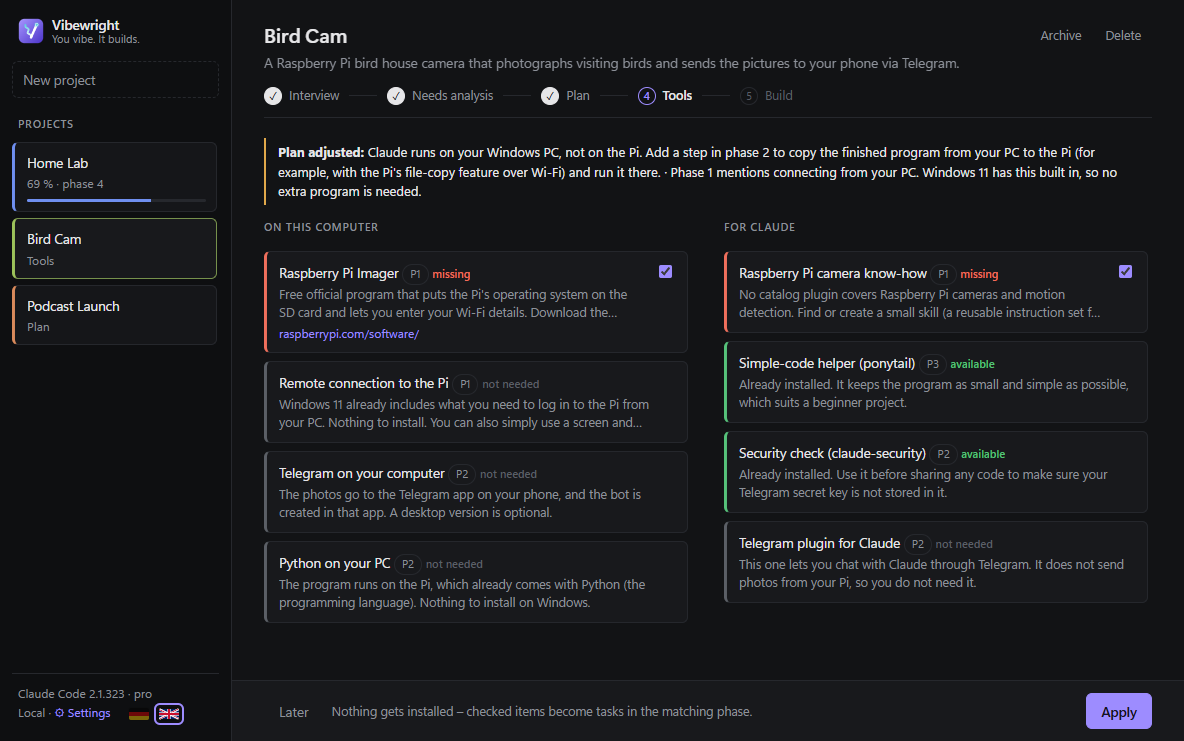
- Tool check
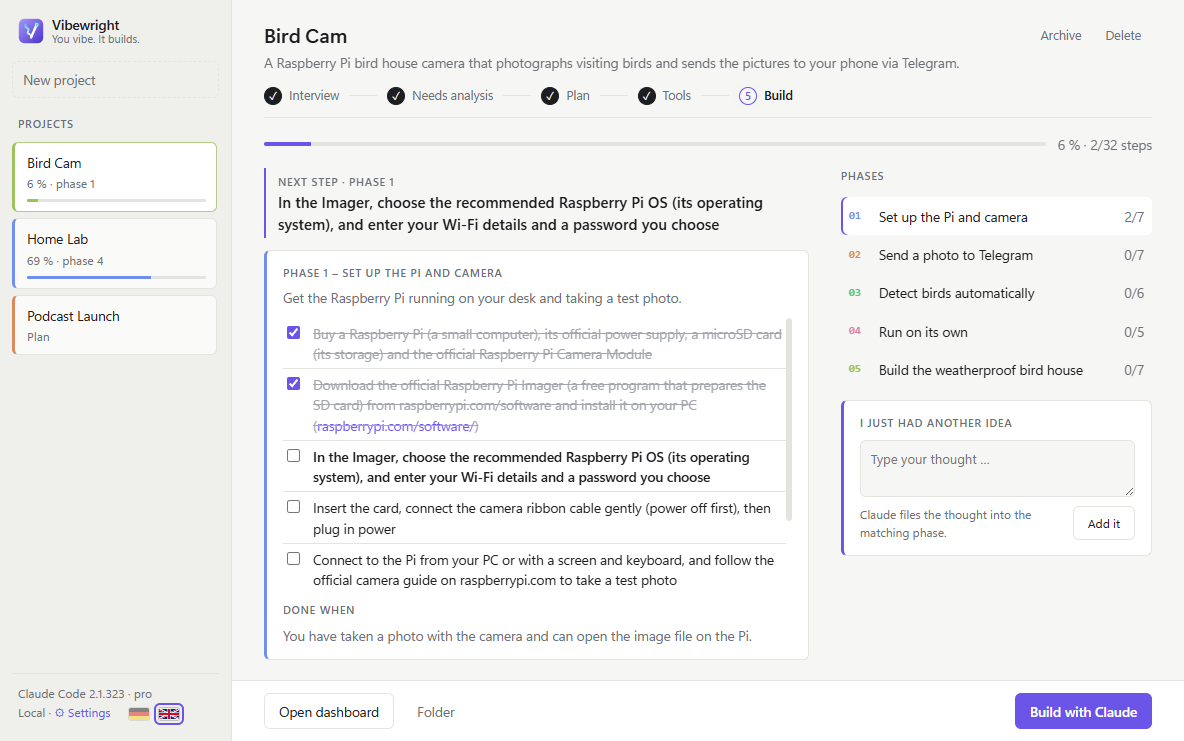
- Cockpit
- Build with Claude
Process
How it works
From "I'd like to…" to "it works" – without juggling chats, notes and half-finished plans.
Describe your idea
One sentence is enough – a bird house camera, a podcast, a home server. Vibewright asks a few multiple-choice questions.
Approve the plan
You get a needs analysis, a roadmap in phases and a check of the tools you need. Nothing happens without your OK.
Build with Claude
Claude Code runs inside the app, knows your plan and ticks off each finished step. You always see where you are.
Features
Everything a project needs
Vibewright does the project management, so you can focus on the fun part.
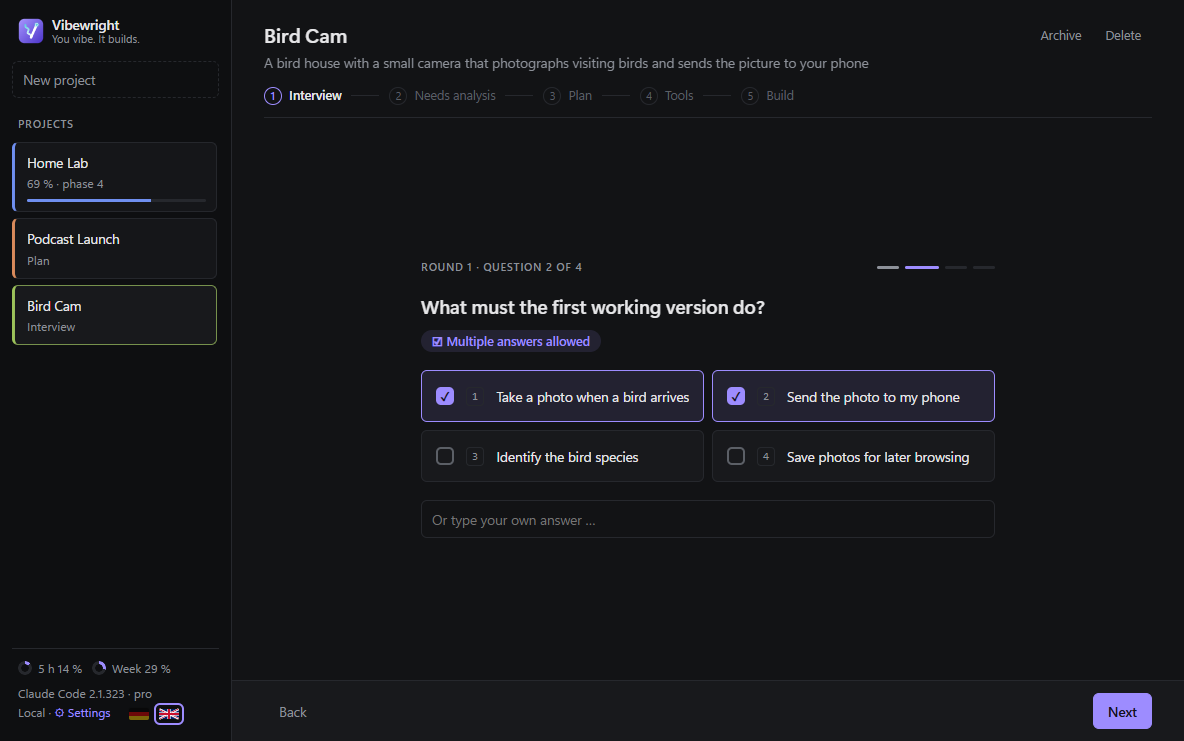
Guided interview
One question per screen, your own answer always possible. Follow-ups only where something is missing.
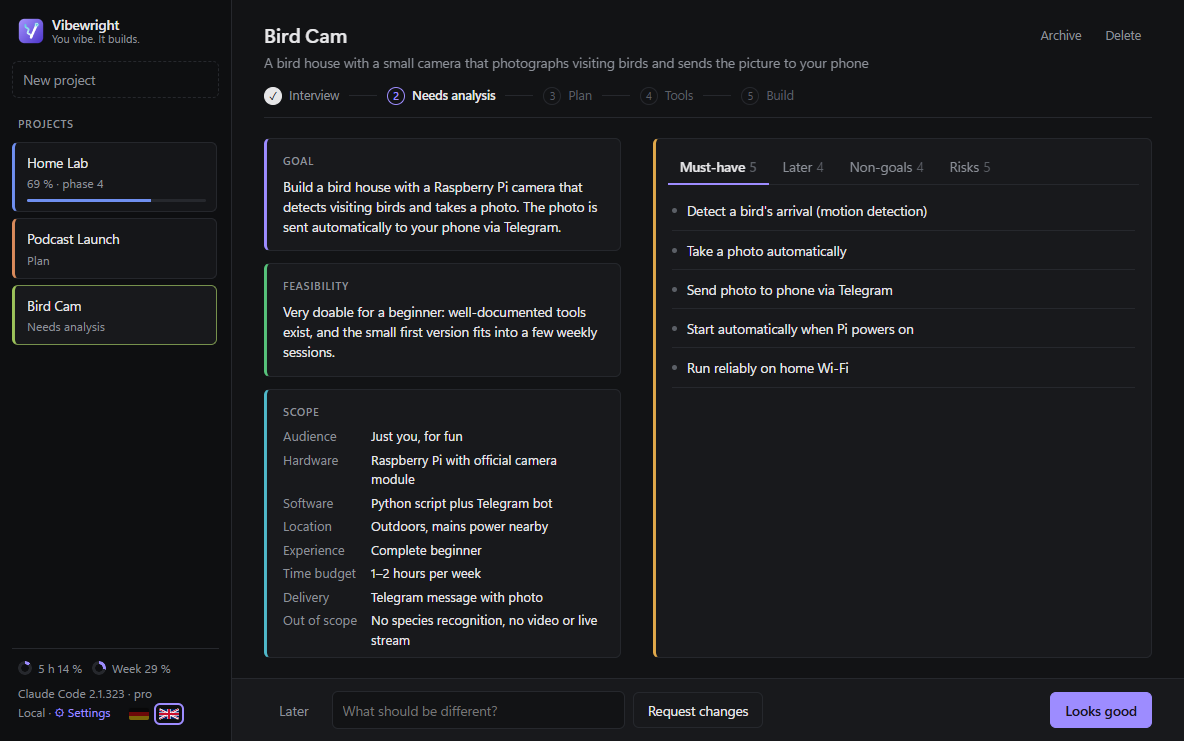
Needs analysis
Goal, scope, must-haves, risks you didn't think of and a feasibility traffic light.
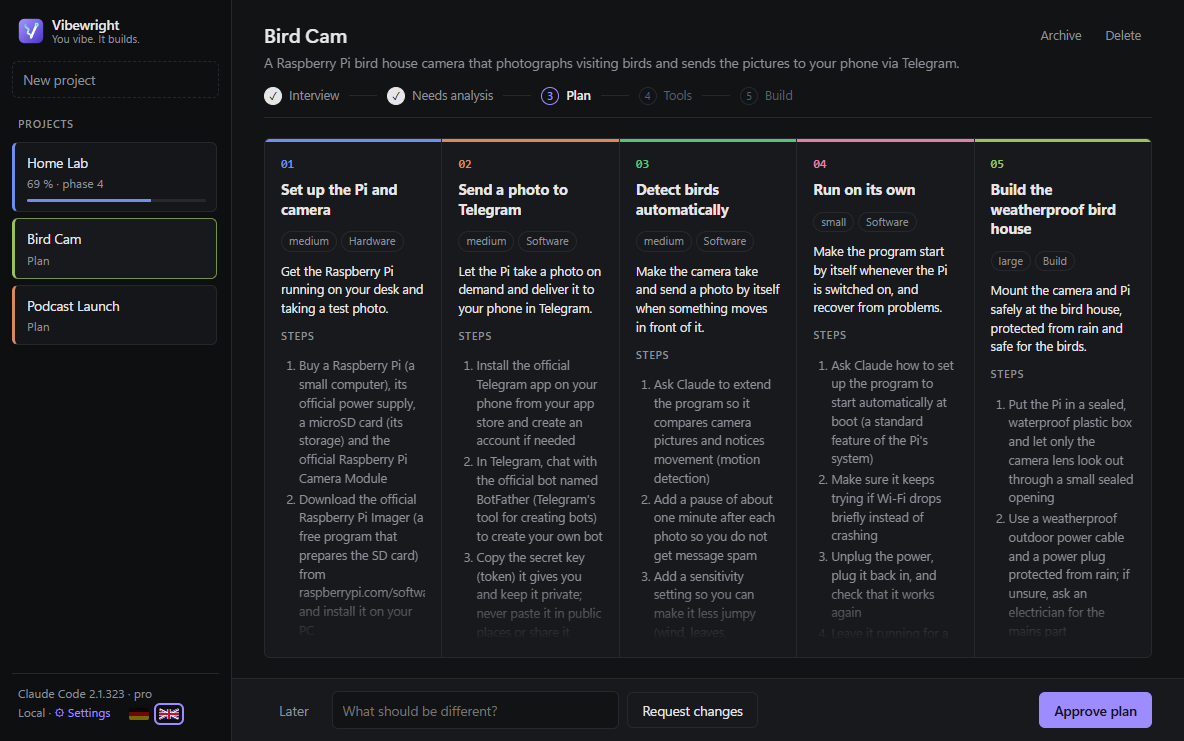
Plan as a roadmap
3–6 phases with clear "done when" criteria and concrete steps in plain language.
Tool check
Checks your PC and Claude setup and recommends only what a phase really needs.
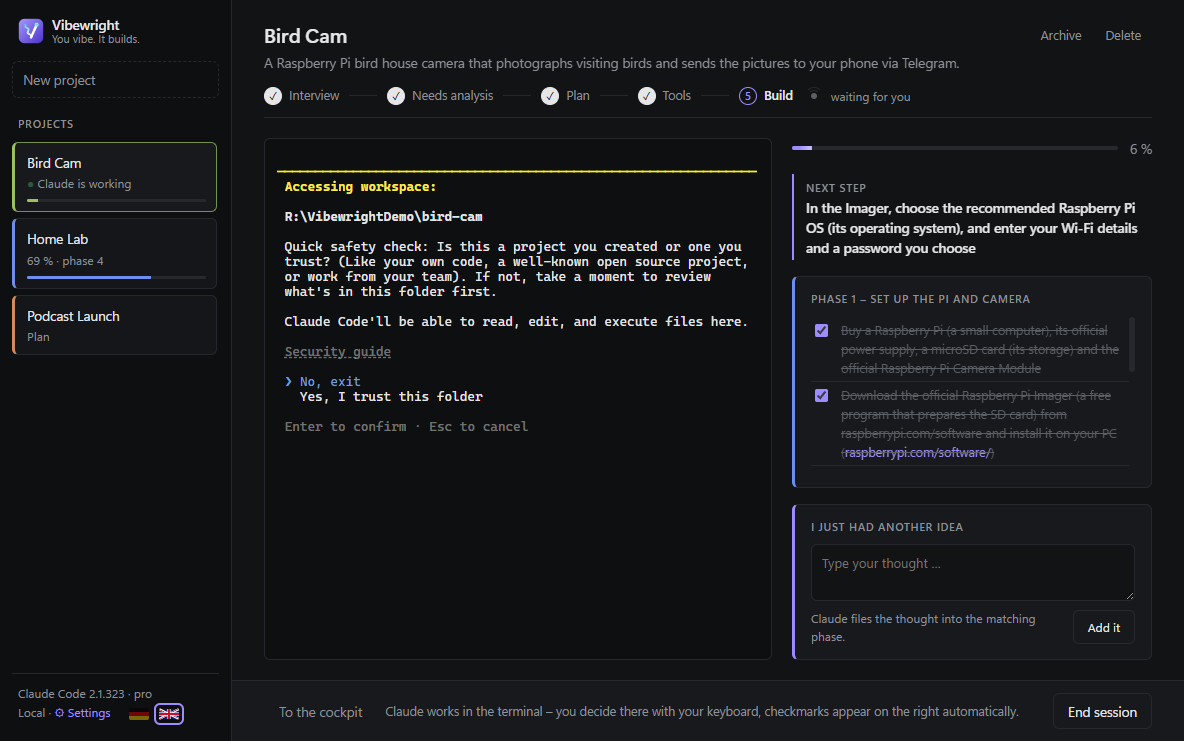
Claude Code in the app
An embedded terminal with a generated CLAUDE.md. Finished steps are ticked off live.
Obsidian or Markdown
Everything lands in your Obsidian vault (Dataview, Kanban) or as .md files plus an HTML dashboard.
"I just had another idea"
Type a thought any time – Claude sorts it into the right phase.
Git safety net
Optional: Claude commits after every finished step, so you can always go back.
Maintenance mode
Finished code projects pick up new GitHub or Gitea issues – nothing enters the plan without your click.
Screenshots
Take a look
Dark or light – always clear, never cluttered.
FAQ
Questions before you start
Is Vibewright free?
Yes. The app is free and open source (MIT). You need your own Claude subscription – Pro or Max is recommended.
Do I need to know how to code?
No. Steps are written in plain language and you decide with clicks. Claude Code does the technical part.
Where does my data go?
Your plans and notes are saved as files on your computer (Obsidian vault or a folder you choose). Only Claude Code talks to Anthropic – with your own account. Vibewright has no server and no tracking.
What do I need to install?
Windows 10/11 (64-bit) or macOS 11+, plus Claude Code, signed in. Obsidian and Git are optional.
Is the download safe?
Every installer is scanned by VirusTotal and comes with a SHA-256 checksum. The Mac app is signed and notarized by Apple. The Windows installer is not code-signed yet, so SmartScreen may warn you – click "More info → Run anyway".
Got an idea? Start today.
Download Vibewright for free and turn your next idea into a finished project.